
v1.3 Edit Without Worry
GIF Distillery v1.2 made editing much more powerful. Segmentation and improved timeline controls gave you the freedom to shape a GIF in greater detail—but with more ways to edit, recovering from a mistaken adjustment could take more work. v1.3 brings native Undo and Redo to the editor, so you can explore, adjust, and change your mind without losing your place.


Undo and Redo, now built in
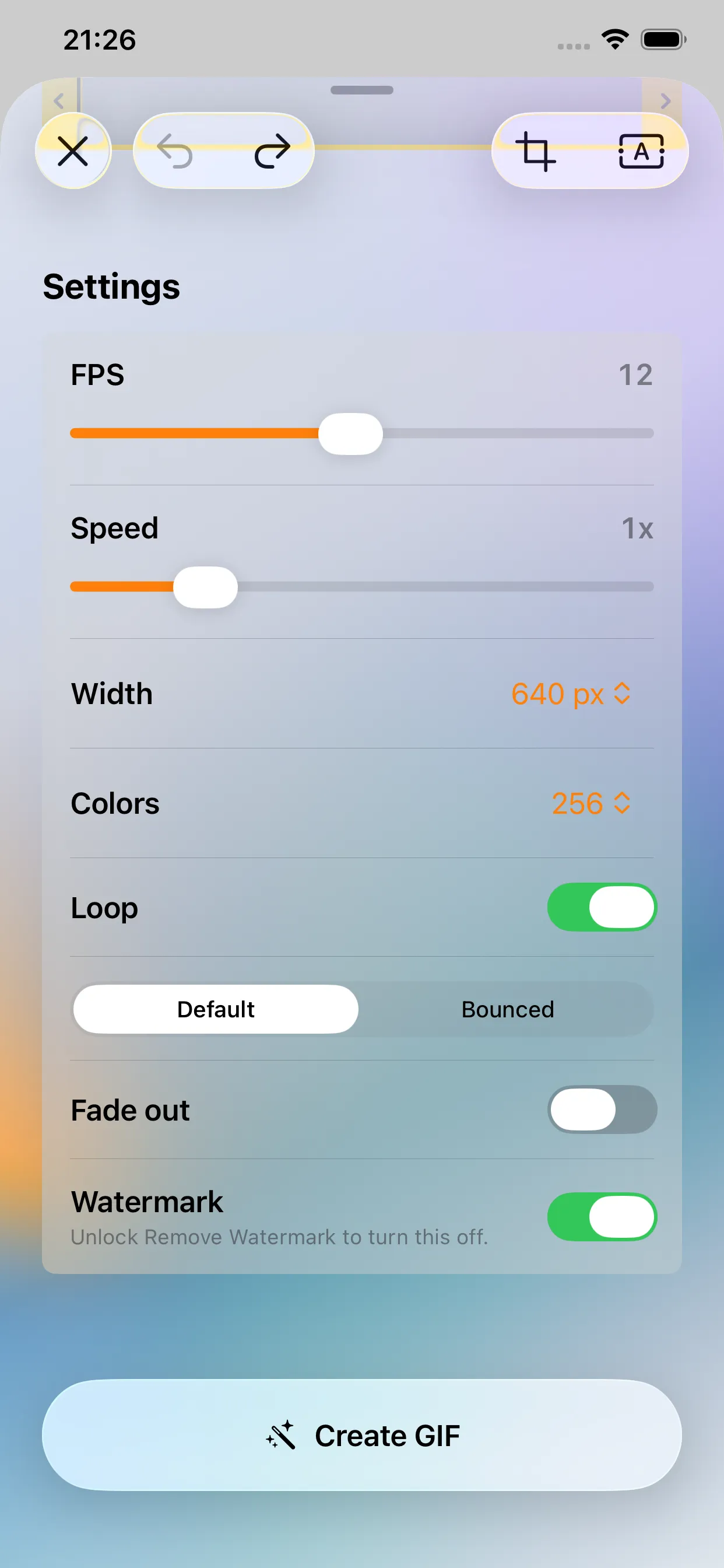
The more precise an editor becomes, the more important it is to make mistakes safely. You can now undo and redo changes directly in the editor, whether you adjusted the timeline, changed an export setting, or simply want to compare two ideas.
Undo and Redo follow the native behavior of each platform, making it easy to step back, try something different, and move forward again without rebuilding your edits by hand.
Frame rates down to 1 FPS
As an extra option for especially size-conscious exports, frame rates can now be reduced all the way to 1 FPS. It is most useful for screen captures with mostly static UI, where every frame counts and you want to push the file size as low as possible.
A smoother Mac editing experience
On Mac, press B to switch to the Blade tool. Tooltips and keyboard controls have also been refined, making common editing actions easier to discover and faster to use.
Bug fixes and overall polish
This update improves what happens when you return to the editor during an export. Closing the editor now cancels any export in progress, and additional stability and usability improvements make the app more dependable throughout the editing workflow.
It also fixes an issue where importing through the Share Extension—or by dragging and dropping a file on Mac—could fail when GIF Distillery was launched from a cold start.
Thanks for using GIF Distillery.